EagleFiler 1.3.5

July 2nd, 2008 (EagleFiler)

EagleFiler 1.3.5 is now available. This is a free update that includes the following enhancements:

  • Made various performance optimizations to the browser and activity windows.
  • If you click on a mailbox in the source list whose table of contents has not yet been built, EagleFiler now reports this in the viewer so that it’s more clear why no messages are shown yet.
  • Dropping between folders in the source list no longer targets the containing folder, since this made the subfolder drop targets too small.
  • Improved the way EagleFiler handles special “merged” mailboxes when capturing from Apple Mail.
  • Added EnableWebPlugIns to the esoteric preferences, so that you can prevent Web plug-ins (e.g. Flash) from loading in EagleFiler’s viewer.
  • Capturing a mailbox in Apple Mail no longer captures its submailboxes, unless they’re also selected.
  • Fixed bug extracting the metadata from files during import.
  • Fixed a bug where, in rare cases, EagleFiler would end up with two internal database records for the same file. This could happen with Web archives in the To Import folder.
  • Fixed the title of the Copy Image command when Control-clicking on an image in the viewer.
  • Fixed bug where EagleFiler would clear the display of the selected Web archive when using Capture With Options.
  • Fixed regression where AppleScripting a browser window didn’t work.
  • Reduced the delay before showing the Capture With Options window.
  • The font-chooser text fields now draw the text centered.
  • Single-click editing in table and outline views now requires Mac OS X 10.5, since it now relies on the standard OS functionality.
  • In certain circumstances, auto-updating no longer requires authentication.
  • Fixed bug where some operations in the Activity window would hang if the OS hung while setting a Spotlight comment.
  • Worked around suspected OS bug, which sometimes caused a file’s creation date to change when you changed the modification date.
  • Fixed bug where the Capture With Options window would be shown even if there were no items to capture.
  • Fixed bug editing filenames with no extension in the records list.

Give Good Food to Your Mac

June 9th, 2008 (DropDMG)

DropDMG is part of the Give Good Food to your Mac “Special Developers Edition” promotion:

“Give Good Food to your Mac” is a community action where independent Mac developers come together and build exciting promotions: for a limited time, every Mac user will be able to download and taste cool Mac applications and enjoy great discounts.

No junk food, just healthy, tasty and innovative products. And because we are speaking “haute cuisine” everybody gets to create their own combination of titles matching their own and unique taste.

From June 9–23, you can get discounts from 20–50% on a variety of great tools for Mac development. In fact, many of the applications (including DropDMG) are also useful for non-developers.

SpamSieve 2.7.1

June 4th, 2008 (SpamSieve)

SpamSieve has been updated to version 2.7.1. This is a free update that includes the following changes:

  • Fixed a regression in version 2.7 where SpamSieve was slow loading certain large corpus files when running on Mac OS X 10.5.
  • Worked around a bug in Mac OS X 10.4 that could cause a crash when training a message with Apple Mail.
  • Made some minor accuracy improvements.

EagleFiler 1.3.4

June 3rd, 2008 (EagleFiler)

EagleFiler 1.3.4 is now available. This is a free update that includes the following enhancements:

  • Fixed regression where parts of the Drop Pad didn’t accept dropped files.
  • Fixed regression where source list titles sometimes would be truncated prematurely.
  • Fixed regression where the top of the viewer was cut off in the German localization.
  • Fixed regression where changes to the tags weren’t saved if you closed the window before pressing Return/Tab or clicking elsewhere.
  • The default search scope is now Anywhere.
  • The divider in the Info inspector now remembers its position.
  • The Tags field in the Info inspector can now be made shorter.
  • Improved launching speed.
  • Added Importing Mail section to the manual.
  • Added FolderMailboxTitleSeparateFromFilename to the esoteric preferences.
  • Improved error reporting when capturing from Microsoft Word.
  • Fixed bug importing Apple Mail messages when running under certain non-English locales.
  • Worked around a framework bug that could cause errors when closing a library.
  • Removed logging of invalid URLs.
  • Updated the German localization.

SpamSieve 2.7

May 21st, 2008 (SpamSieve)

SpamSieve has been updated to version 2.7. This is a free update that includes the following enhancements:

  • Now requires Mac OS X 10.4 or later.
  • Made a variety of accuracy improvements, focused on dealing with obfuscations, image attachments, URLs, and HTML.
  • Improved corpus speed and memory use.
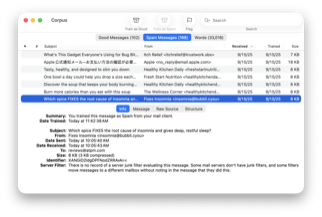
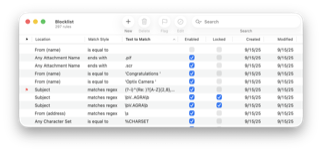
  • Made various improvements to the column widths and alignments in the rules and corpus windows, and added alternating row colors.
  • Fixed a rare problem where Apple Mail on Mac OS X 10.5 might hang if you trained a message as spam while Mail was downloading messages.
  • If the OS reports an error when playing a sound as an alert sound, SpamSieve now plays it using the normal sound channel.
  • Increased the range of possible values for the uncertain spam threshold.
  • Improved sorting of sound names in the pop-up menu.
  • Fixed bug where SpamSieve wouldn’t launch if the Microsoft User Data folder had been replaced by an alias file that was invalid.
  • No longer shows the Reset Corpus/History alert at launch if you hold down other modifier keys in addition to Command-Option.
  • Updated the Dutch localization.

EagleFiler 1.3.3

May 20th, 2008 (EagleFiler)

EagleFiler 1.3.3 is now available. This is a free update that includes the following enhancements:

  • Improved the speed of displaying large numbers of files or messages for the first time.
  • Can now capture from Opera.
  • Added New Rich Text File command to the Dock menu.
  • The Drop Pad is now resizable.
  • Worked around Mac OS X bug that prevented EagleFiler from indexing certain documents for searching.
  • The Capture With Options window no longer suggests the title from the previous capture, since that wasn’t very useful.
  • If a mailbox’s messages are not yet ready for display (because EagleFiler is rebuilding the table of contents), the mailbox name is now shown in gray in the source list.
  • Added placeholder text to the tags bar so that it’s more clear that it’s editable.
  • Expanded the documentation for the Verify command.
  • On Mac OS X 10.4, the viewer pane now shows custom rather than generic icons for files that it doesn’t know how to display. (On Mac OS X 10.5, it continues to use Quick Look.)
  • When searching, EagleFiler now ignores trailing meta characters in the query string, rather than returning no results.
  • The Drop Pad menu command now hides the Drop Pad if it was already visible.
  • Reorganized the Dock menu so that the fixed commands are easier to find with the mouse.
  • Improved error reporting when capturing from a “merged” mailbox in Mail.
  • Adjusted spacing in source list.
  • Added “raised” background style to the label in the tags bar.
  • Skips importing .git folders.
  • Improved error logging.
  • Fixed bug where the Tags palette sometimes showed the tags for the wrong library.
  • Fixed bug where the Tags field in the Batch Change… window didn’t become checked when you started typing tags in it.
  • Fixed bug with text color of non-highlighted text in selected rows of the records list, when it didn’t have keyboard focus.
  • Fixed error resizing the browser window.
  • Fixed importing of Word documents with blank titles.
  • Fixed bug where the command in the Window menu said Activity Viewer instead of Activity.

EagleFiler 1.3.2

April 24th, 2008 (EagleFiler)

EagleFiler 1.3.2 is now available. This is a free update that includes the following enhancements:

  • Faster indexed searches when lots of results are found.
  • Faster at displaying large text files when running on Mac OS X 10.5.
  • The Title and From fields in the Capture With Options window will now try to clean up any text that you paste in, e.g. removing linebreaks and coalescing multiple spaces into one.
  • Enlarged the Title field in the Capture With Options window.
  • Some errors now have a tooltip that shows which library they pertain to.
  • Preserves more file metadata when editing documents within EagleFiler.
  • EagleFiler can now import URLs that contain the | character.
  • Adjusted mail-related icons when running on Mac OS X 10.5.
  • Added MaxEditableTextFileSizeInMB esoteric preference, which lets you set EagleFiler to only show the first few megabytes of large text files, so that they display more quickly.
  • Disabled undo in the Title and From fields in the Capture With Options window to work around a bug in Cocoa.
  • Fixed bug where the viewer could lose keyboard focus when using Previous/Next Record.
  • Fixed bug where mailbox names were not indexed for Anywhere searches.
  • Fixed bug editing text or RTF documents that were stored on non-HFS volumes.
  • Fixed bug where indeterminate progress bars didn’t animate when running on Mac OS X 10.5.
  • Fixed bug importing messages from Apple Mail that claimed to be sent in the year 2038 or later.
  • Fixed mbox separator-line dates for imported IMAP messages.
  • Fixed regression where files and messages didn’t sort together properly by modification date.
  • Updated the sdef file to the latest format.
  • Updated to Python 2.5.2.
  • Renamed the Activity Viewer window to Activity for consistency with Mail and Safari.
  • Fixed color of non-highlighted text in selected rows of the records list.

EagleFiler 1.3.1

April 9th, 2008 (EagleFiler)

EagleFiler 1.3.1 is now available. This is a free update that includes the following enhancements:

  • When searching the Tags scope (or using tag:<name> with another search scope), EagleFiler now lets you type incomplete tag names if Match Partial Words is checked.
  • The @ character is now allowed in tag names.
  • When using Capture With Options, any tags or notes that you set are now used in addition to rather than instead of any tags or notes suggested by the capture script.
  • Changes to notes are now undoable.
  • Improved responsiveness by limiting the number of simultaneous file copy operations.
  • Fixed regression where Copy tags to Spotlight comments didn’t work.
  • Fixed regression editing files in the viewer whose path contained non-ASCII characters.
  • Fixed regression deleting notes.
  • When you delete the selected sources, EagleFiler now selects the next source in the list and maintains the scroll position.
  • Canceling a Capture With Options now brings you back to the application that you were in.
  • The tag abbreviation column now sorts by the actual tag names, rather than by the abbreviation symbols.
  • Worked around a Web Kit bug saving certain pages as Web archives.
  • Worked around OS bug that could cause a crash when resizing a browser window.
  • Tried to work around OS bug revealing files in the Finder.
  • After revealing a file in Path Finder, brings Path Finder to the front.
  • Re-positioned Format menu for consistency with Mail.
  • Fixed a rare crash when searching a PDF.
  • Fixed bug where dragging records in the list sometimes required an extra click.
  • Fixed sorting of sources, records, and tags whose names contain combining marks.
  • Fixed bug where the contextual menu sometimes had duplicate Highlight commands.
  • Fixed bug where sometimes the original title of a document (stored in the file) wasn’t indexed if you’d set a custom title in EagleFiler.
  • Fixed bug where .plist files were sometimes imported as text.
  • Fixed bug where a displayed Web archive could auto-open a window in the user’s Web browser.
  • Fixed bug remembering the PDF zoom level.
  • Updated German localization.

EagleFiler 1.3

March 11th, 2008 (EagleFiler)

EagleFiler 1.3 is now available. This is a free update that includes the following enhancements:

Highlights
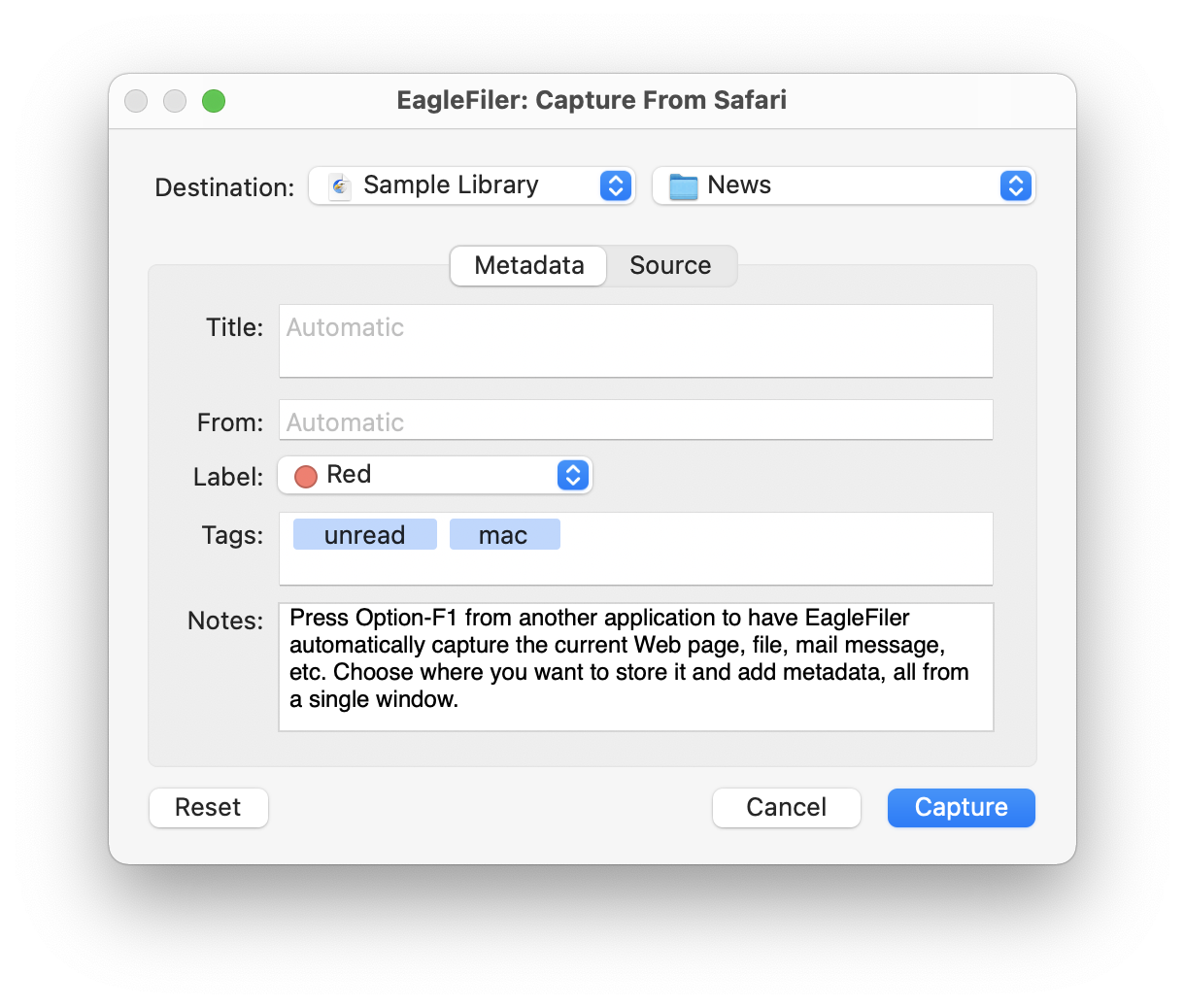
  • Added Capture with options command (Option-F1 by default), which lets you set the library, destination folder, tags, and other metadata right when you press the capture key.
  • Added Batch Change… menu command and button in the tags bar. This lets you set the title, from name, label, tags, and notes of the selected records all at once.
  • Now uses Quick Look to display file types that EagleFiler doesn’t natively understand (e.g. Pages, Keynote, OmniGraffle, fonts). This feature requires Mac OS X 10.5.
  • Added Untagged smart folder to the source list.
  • Added Date Created and Tag Names columns to the records list.
  • Added Set Label submenu and contextual menu.
  • Added specialized viewing and indexing support for iCalendar (.ics) and vCard (.vcf) files.
  • Now indexes Skim notes attached to PDF and PDFD files so that you can search for them within EagleFiler.
  • Revised the icons and layout throughout the user interface.
  • Made various optimizations so that EagleFiler is faster and more responsive.
Browser Windows
  • When creating new rich text files or notes, EagleFiler now creates RTF files instead of RTFD ones when possible. RTF files are more compatible and faster. Additionally, when editing files in the viewer, EagleFiler automatically converts between RTF and RTFD depending on whether RTFD is required.
  • When using the Record ‣ Tag command to jump to the tags bar, EagleFiler now moves the insertion point to the end of the tags, rather than selecting all of them.
  • When you create a New Rich Text File within EagleFiler, it’s no longer marked as unread.
  • The Open in External Viewer toolbar button now shows which application will be used to open the file.
  • Added Update Checksum toolbar button.
  • Now shows tag colors in the source list.
  • You can now tab from editing the File column in the records list into the record viewer, which makes creating new RTF files smoother. (Requires Mac OS X 10.5.)
  • When you open a library on a smaller screen than it was previously opened on, EagleFiler now overrides the OS and shrinks the window so that it fits on the screen.
  • Added Select Source to the contextual menu.
  • Added a custom drag image for the records lists.
  • Added ellipsis-truncation to column headers in the records list.
  • Increased the maximum width of the date columns.
  • Holding down Option to skip the confirmation when emptying the trash now works from the contextual menu.
  • When displaying Usenet messages from mbox files, EagleFiler now shows the name of the newsgroup in the To area of the viewer.
  • You can now copy an image file that EagleFiler’s displaying to the clipboard.
  • Now remembers between launches if you’ve set the PDF view to display continuous or facing pages.
  • You can now press Command-Delete to delete the selected record(s) when the viewer has focus.
  • You can now double-click the drag strip to collapse the source list.
  • Increased the font size in the tags bar.
Capture
  • If no library is open when you press the capture key, instead of showing an error alert, EagleFiler now opens the Capture with options dialog, which lets you open or create a library to complete the capture.
  • Can now capture from Address Book, Flock 1.0, iCab 4, Keynote, MindManager, Pages, OmniGraffle, and TextMate.
  • Revised the user interface for setting the capture key.
  • While EagleFiler is in the process of capturing (i.e. running the capture script or showing the capture options dialog), it now badges the Dock icon with a picture of a camera.
  • Added |creationDate| and |modificationDate| options for capture scripts.
  • Improved preservation of modification and creation dates when capturing from DEVONthink Pro, MarsEdit, Journler, and Yojimbo.
  • Improved the reliability when capturing from WebnoteHappy, e.g. if it returns invalid tag, note, or title information.
  • EagleFiler now creates the user Capture Scripts folder for you.
Miscellaneous
  • If EagleFiler is busy when you ask it to close a library, it now stops any existing operations (except when doing so would cause data loss), so you no longer have to wait and/or stop them yourself.
  • When dealing with “Bad Checksum” errors in the Errors window, you can now update the checksums for multiple errors at a time, and after updating a checksum EagleFiler removes the error from the window.
  • Reduced EagleFiler’s RAM use for large libraries.
Importing
  • Text dragged from a Web page is now imported as a Web archive instead of an RTFD file. (If you want an RTFD file, you can use the Convert For Editing command.)
  • In addition to checking periodically, EagleFiler nows checks the To Import folders when it becomes the active application. This should get new files imported sooner.
  • Now shows a single Growl notification for each batch of files imported, rather than for each individual one.
  • Now shows a progress spinner next to the action menu while EagleFiler is busy importing.
  • Changed the Dock icon indicator that shows when EagleFiler is importing. Instead of a red circle, it now shows a downward pointing arrow.
  • Improved EagleFiler’s recovery when WebKit runs into an internal error while saving a Web archive file.
Info Inspector
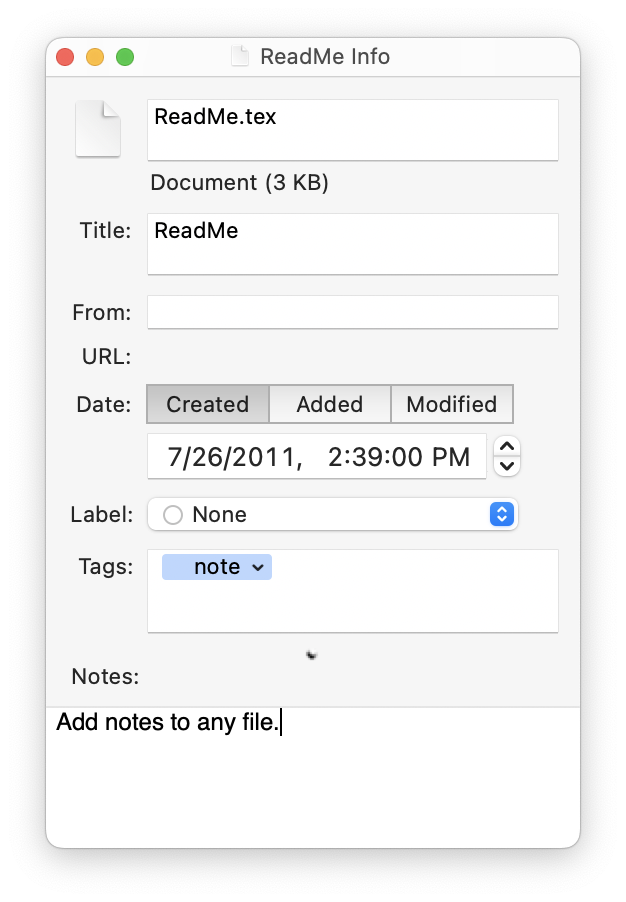
  • Added URL field.
  • Enlarged the Title field and Notes text view.
  • Now displays three dates—Created, Added, and Modified—and the creation and modification dates are editable.
  • Fields that are unavailable are now disabled rather than just marked as uneditable.
Search
  • Now shows the search scope beneath the search box so that it’s clear which parts of the records you’re searching.
  • When searching, you can now use OR as a synonym for |, and you can use -word as a synonym for !word.
  • EagleFiler is better at estimating how long indexing will take when some of the records in the library are already indexed.
AppleScript
  • The import command now returns a list of the imported records. This makes it easier to set the properties of the new records. Additionally, import now waits until the records have been imported before returning, so the script knows when the import has finished.
  • The import command now supports a deleting afterwards option, which makes EagleFiler delete the source file after successfully importing it.
  • You can now use the import command outside of a tell library document block; it will then target the frontmost library.
  • The source URL property is now settable.
Bug Fixes
  • The order in the labels pop-up menu now matches the Finder.
  • Now remembers the sorted column of the Tags inspector between launches.
  • Fixed bug where the source URL wasn’t set if you imported a URL of a file that wasn’t a Web page.
  • No longer shows the Rebuild dialog when opening a library if you hold down other modifier keys in addition to Command-Option.
  • If EagleFiler was unable to capture due to a bug in the Finder, the error message now suggests using drag and drop, updating to Mac OS X 10.5, or disabling FileVault.
  • Now preserves the creation date when editing files within EagleFiler and when saving notes.
  • Fixed bug where the Import File(s)… command didn’t let you import items that were next to the library folder.
  • Fixed bug where certain Apple Mail mailboxes (typically those imported from another mail program) weren’t imported as mailboxes.
  • Fixed bug where the Reveal button in the Errors window didn’t work properly for duplicate files that came from the To Import folder.
  • Fixed bug where the Highlight command didn’t work properly when no text was selected.
  • Fixed bug where the Highlight toolbar button in the main browser window would be enabled when editing a note.
  • Fixed bug where EagleFiler would add a uniquing number if you renamed a file/folder to a name that differed only by case (and you were using a case-insensitive filesystem).
  • Worked around a Cocoa bug that could, in rare cases, lead to an infinite loop when saving the library.
  • Fixed bug where some Format ‣ Font menu commands were enabled even though they couldn’t be used because Allow Editing in Record Viewer was unchecked.
  • Fixed bug where toggling Allow Editing In Record Viewer didn’t take effect immediately.
  • Fixed crash involving the tags bar.
  • Fixed bug where capturing just messages from an Apple Mail mailbox with submailboxes would import empty folders for the submailboxes.
  • Fixed bug where newly imported records sometimes didn’t sort properly by modification date.
  • Fixed bug where the Info inspector sometimes didn’t show the correct record.
  • Fixed bug where custom icons on the To Import folder were not preserved.
  • The software updater is better at handling invalid downloads folders.
  • Fixed crash involving the Info inspector.
  • Fixed bug where Edit ‣ Find ‣ Library Search… didn’t bring the window to the front.
  • Fixed bug hiding and showing the source list when running on Mac OS X 10.5.2.
  • Fixed bug checksumming packages containing symlinks.
  • Fixed bug where JavaScript was disabled in the viewer.

DropDMG 2.8.5

February 29th, 2008 (DropDMG)

DropDMG 2.8.5 is now available. This is a free update that includes the following bug fixes:

  • Fixed bug where saved Automator workflows didn’t use the proper configuration when running on Mac OS X 10.5.2.
  • Fixed bug where certain disk images of application files created on Mac OS X 10.5.2 would mount on 10.3, but the Finder would refuse to open them. (The contents were intact and accessible from other applications.)